Custom AI development for revenue teams.
When the tool your sales, marketing or customer success team needs doesn’t exist, we build it. Then we test it, train your team and maintain it.
- Built for sales, marketing and CS
- Tested on your own data
- Your team trained to run it
- Maintained after launch
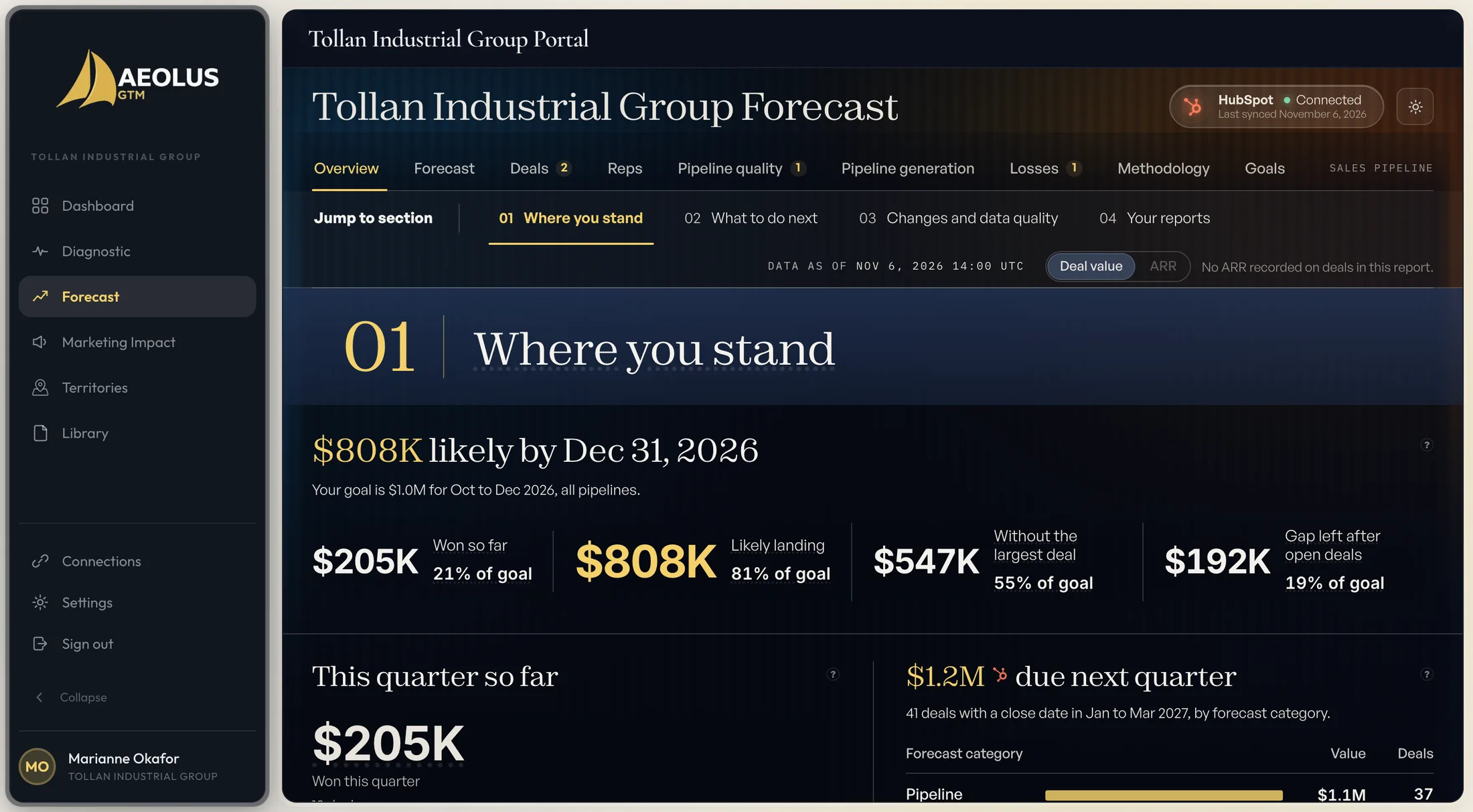
This is Atlas. We designed it, built it and run it ourselves. The same two people build custom tools for your team. See Atlas →
If the tool doesn’t exist, we build it.
Off-the-shelf software is built for the average team. Yours has its own stages, its own data and its own handoffs, so the tool either gets bent to fit or goes unused. A custom build starts from how your team sells and connects to the systems you already run.
- $85M
- Client revenue created to date
- 150+
- B2B companies served
- 1,000+
- Sales reps, managers and VPs hired
- 35+
- Clients acquired or exited
What have we built?
The software we run our own business on. Every screen below is a real product in use, built the way we build for clients.
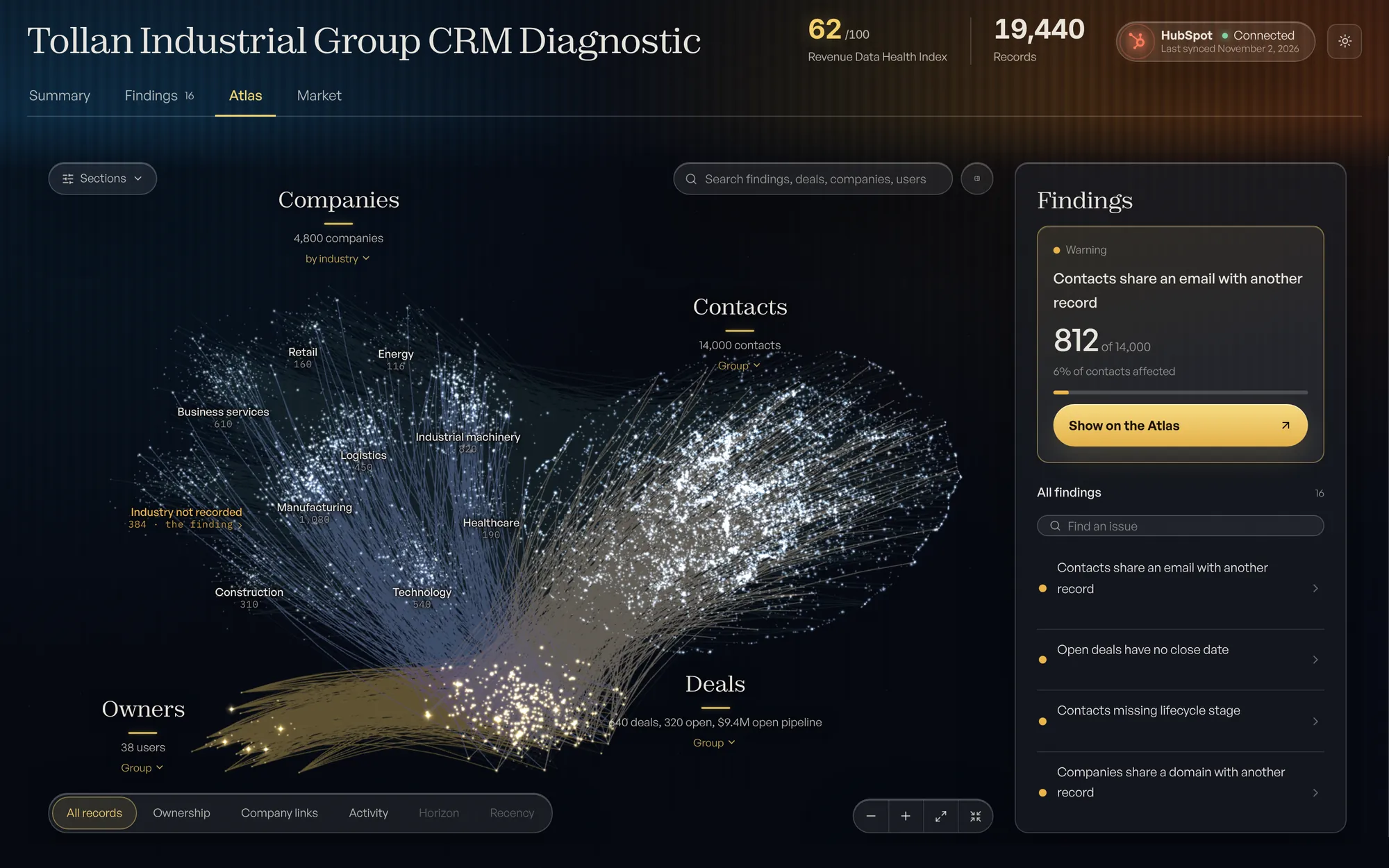
A CRM analytics platform
Connects to a CRM, read-only, runs more than 40 automated checks and maps every record. The CRM Diagnostic
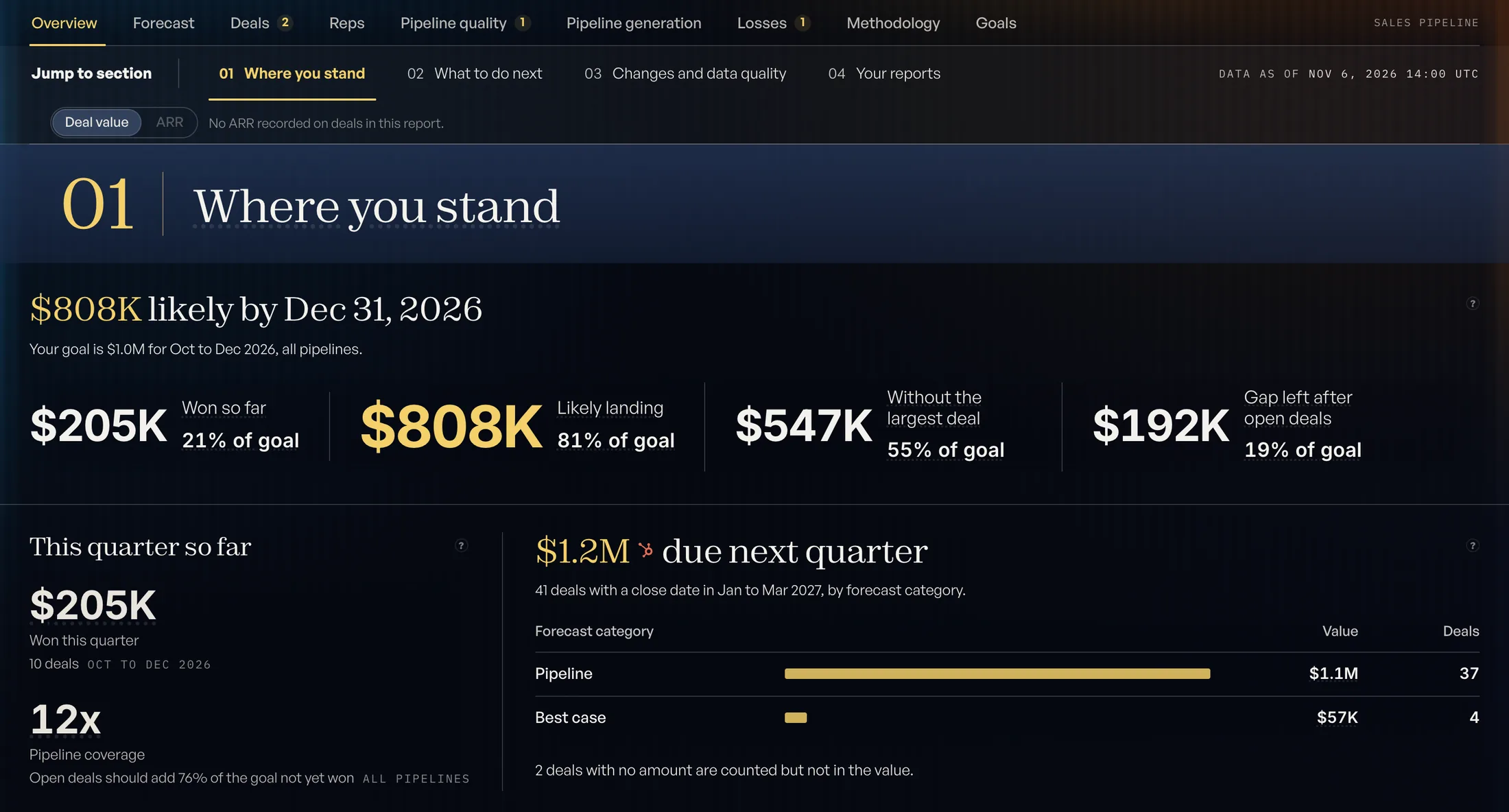
A forecasting product
A forecast calculated by deterministic rules, given as a range and tested on a past quarter. Aeolus Forecast
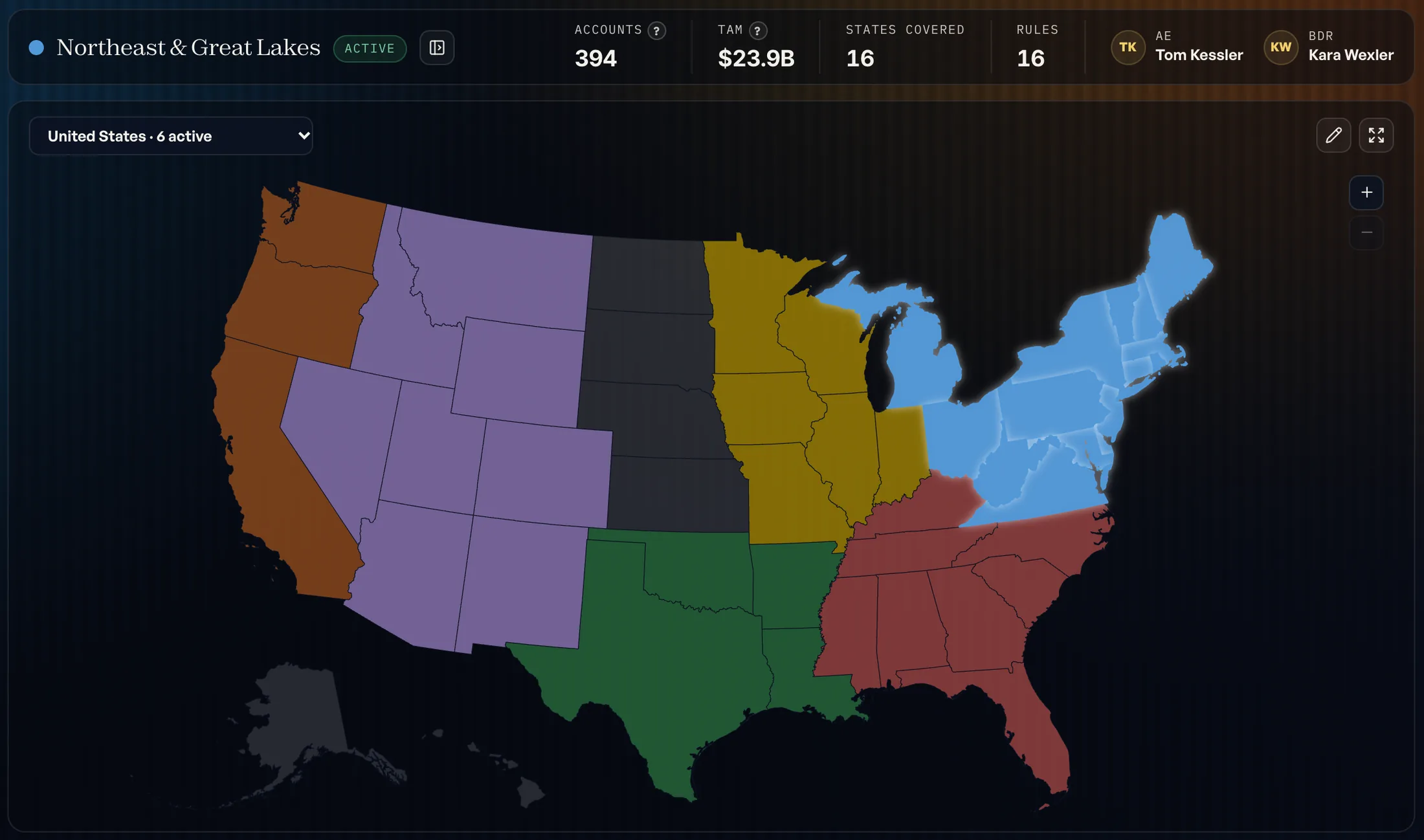
A territory planner
Territories drawn on a map from the accounts in the CRM. Atlas Territories
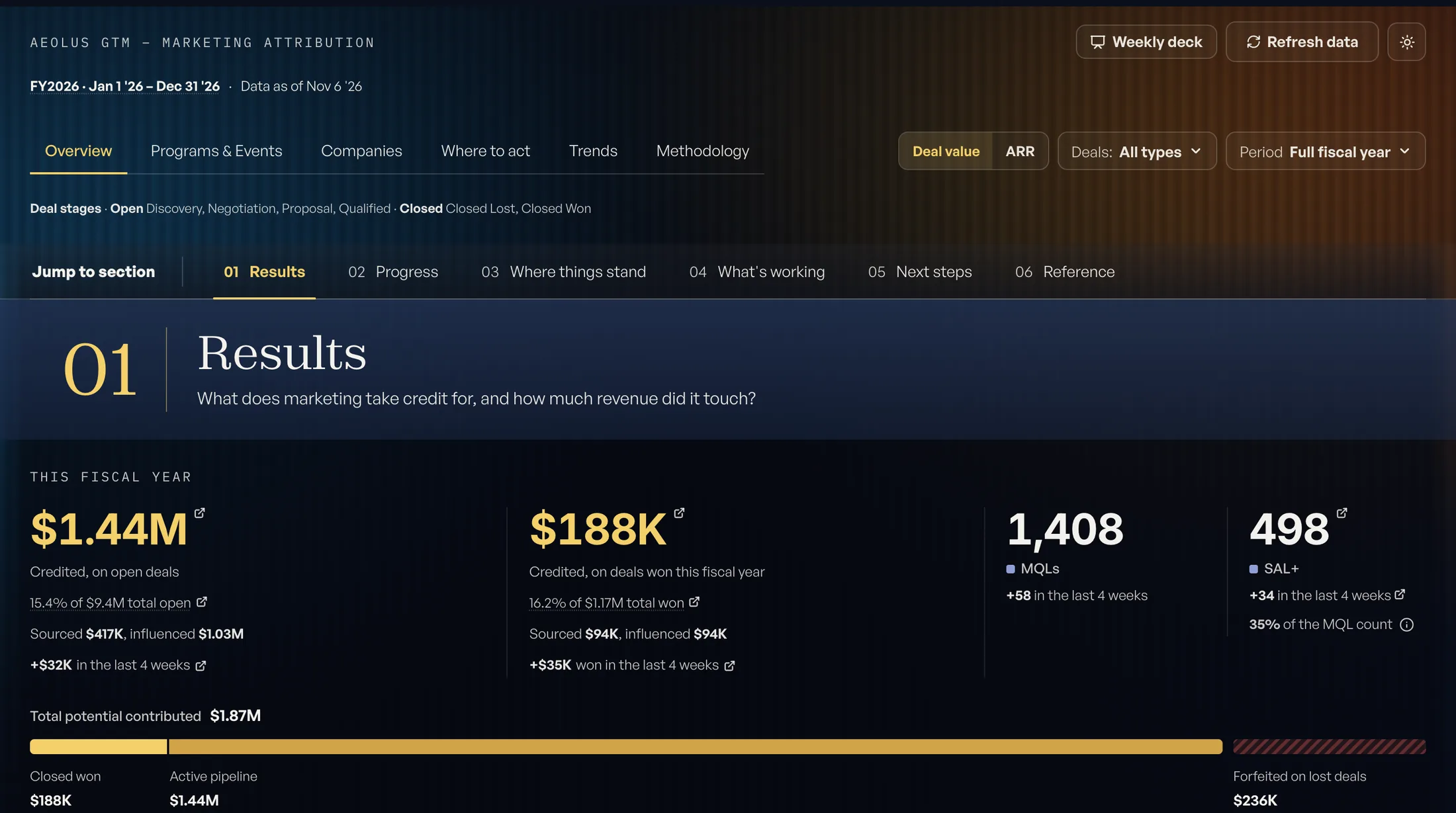
A marketing attribution product
What marketing touched, and what it can take credit for. Marketing Impact
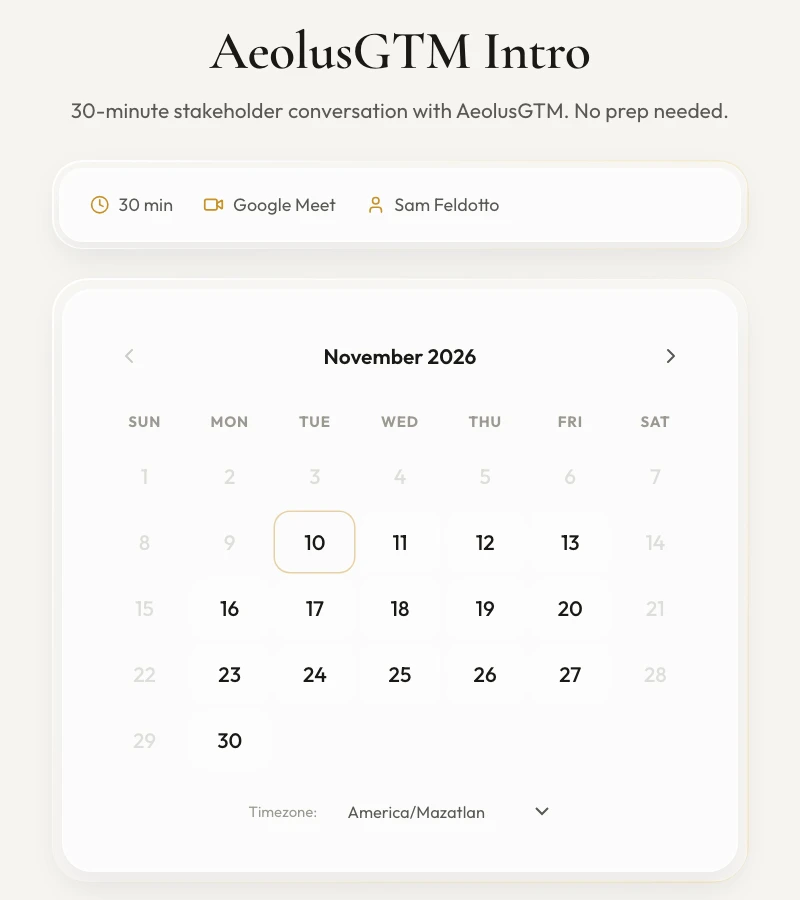
A booking calendar
The calendar behind every booking button on this site, connected to our own CRM. You can try this one now
What could we build for your team?
Anything your revenue team does by hand, in a spreadsheet or in a tool that doesn’t quite fit. Here is what sales, marketing and customer success teams ask for, with an example of each.
Sales
Tools that put the right record in front of the right rep and cut the busywork.
- Lead routing and territory enginesEvery lead to the right rep, by rules you can read.
- Follow-up agentsDrafts the next email or call note for a rep to approve.
- Account research briefsWhat changed at an account before the meeting.
- Deal desk and quoting toolsQuotes and approvals without the spreadsheet.
- Pipeline inspectionThe deals that need attention this week, and why.
HubSpot · Workflows · Custom code action (example)
// Assign a sales territory when a company is created
const BY_STATE = { CA: 'West', TX: 'Central', NY: 'East' };

exports.main = async (event, callback) => {
  const { state, employees } = event.inputFields;

  const region = BY_STATE[state] ?? 'Unassigned';
  const segment = employees >= 500 ? 'Enterprise' : 'Mid-market';

  callback({
    outputFields: { territory: `${region} ${segment}` }
  });
};
Marketing
Tools that keep the list clean and show which programs did the work.
- List cleaning and enrichmentDuplicates, dead emails and missing fields handled before a send.
- Content review workflowsBriefs, fact checks and approvals for your team, in one place.
- Lead scoring modelsFit and engagement scored on your own closed deals.
- Event appsRegistration, check-in and follow-up on CRM records.
- Attribution reportingWhich programs touched the deals that closed.
- Dana WhitcombeTwo records, one emailMerged, history keptFixed
- Marcus OyelaranEmail bouncesRemoved from sendsFixed
- Priya RamanChanged companySent to ownerReview
- Tom HallbergNo company on recordMatched by domainFixed
- Elena MarchettiTitle missingLeft for the repReview
- Greg SandovalOpted outSuppressedClosed
Customer success
Tools that spot renewals early and triage the inbox.
- Health scoringProduct usage, tickets and contacts in one score per account.
- Renewal and expansion alertsAccounts to call before the renewal date, not after.
- Handoff and onboarding trackersWhat sales promised, carried into onboarding.
- Ticket triage agentsSorts and drafts, with a person approving the reply.
- Business review buildersThe numbers for each account, pulled and laid out.
How does a custom build run?
Our AI implementation services run in five stages, each ending in something you can check. The same two people scope it, build it and stay with it after launch.
- Scope
What the tool does, what it connects to and what done looks like, agreed before work begins.
You receive a scope document - Build
Built in stages on dated milestones, with something to look at early.
You receive a working version - Test
Run against your own data and edge cases before anyone depends on it.
You receive the test results - Implement and train
Rolled out to your team, with the people who use it trained to run it.
You receive a runbook - Maintain
Fixes, changes and updates after launch, scoped as its own piece of work.
You receive a change log
How do we keep your data safe?
We decide what a tool can touch before we build it. Software that reads and writes customer records is held to a higher standard than a weekend pilot.
- Least accessEach tool gets only the records and permissions it needs.
- Read-only by defaultNothing writes to your systems until you approve it.
- A person approvesAnything that sends a message or changes a record waits for sign-off.
- Credentials kept out of the codeKeys and passwords are stored separately and can be rotated.
- Everything loggedEvery action a tool takes is recorded, so it can be reviewed.
An example access plan. A filled dot is allowed, a ring needs a person’s approval, a dash is no access.
What should you settle before you build?
Most revenue-team AI projects go wrong before any code is written. These papers cover the decisions to make first.
Whether an agent should write to your CRM.
What to allow, what to hold back and how to stage it.
A one-page charter for an AI pilot.
The scope, the owner and the test that says it worked.
How to measure the return.
What to count before the build, so the result can be checked.
An acceptable use policy for sales.
What your team may put into an AI tool, and what it may not.
Agent sprawl.
What happens when every team adds its own agents, and how to prevent it.
Whether your data is ready.
A test you can run on your own CRM before building on it.
Custom AI development questions.
What kinds of AI tools do you build?
How much does custom AI development cost?
Do you maintain what you build?
How do you keep our data secure?
Which systems do you connect to?
Find out what your CRM already knows.
Book a free, read-only diagnostic. We connect to your CRM, run 40+ checks across data quality, pipeline hygiene and ICP fit, and deliver a scored report within hours. Then we walk you through every finding live.
Book your free diagnostic