Salesforce development for revenue teams.
Flows, Apex, Lightning web components and integrations for the jobs standard Salesforce can’t do. Built in a sandbox, tested, and documented so your admin can run them.
- The founders write it
- Built in a sandbox
- Documented in your org
- Scoped before work begins
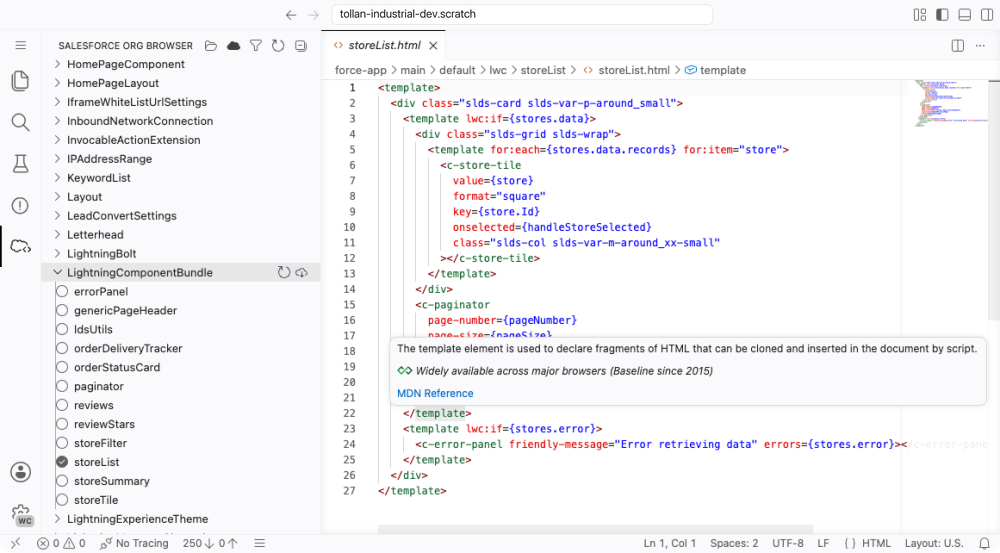
A flow where a flow is enough. Code where it isn’t. Either way your admin gets something they can read, and a record of what changed. How we choose →
We work in


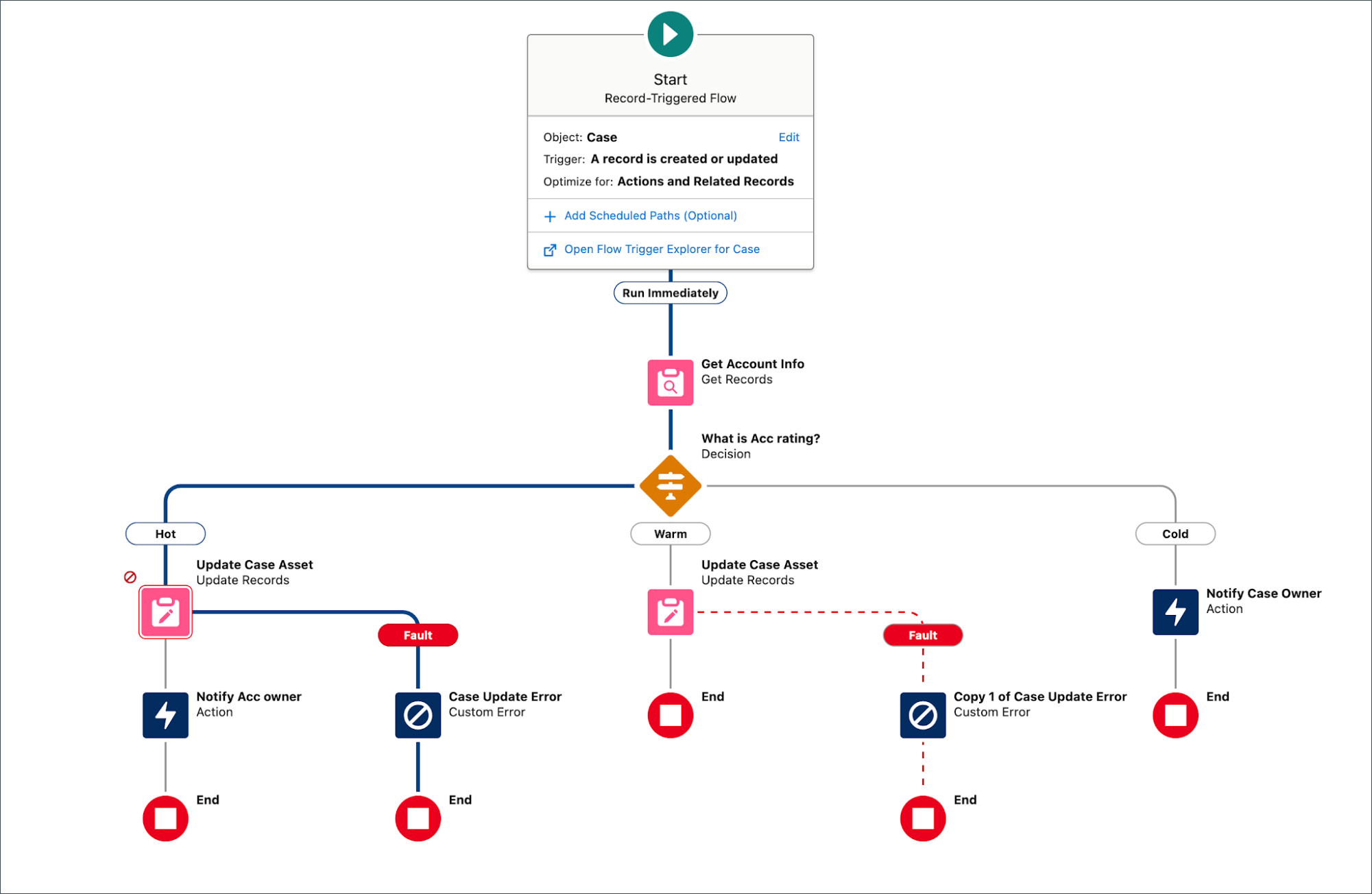
How do you build a flow that doesn’t break?
By planning for the record that doesn’t fit. This flow updates a case from its account rating, and every update has somewhere to go when it fails.
- One clear triggerIt runs when a case is created or updated, and only then.
- Updates in one placeEach branch changes the record once.
 1
2
3
4
- A decision you can readHot, warm and cold, named in plain words.
- Fault pathsA failed update is logged and sent to a person.
Flow or code: which does the job need?
We use a flow when your admin can maintain it, and code when a flow would become the thing nobody dares touch.
The logic
The rules fit on one canvas and an admin can follow them.
Branches multiply until nobody can follow the canvas.
The volume
Records change a few at a time.
Thousands of records change at once, which is a job for Apex.
The screen
Standard page components show what a rep needs.
Reps need a view Salesforce doesn’t have, built as a Lightning web component.
Other systems
A packaged connector exists and fits.
The other system needs custom calls, retries and error handling.
What else do we build in Salesforce?
Integrations, data mappings and changes your team can review before they go live.
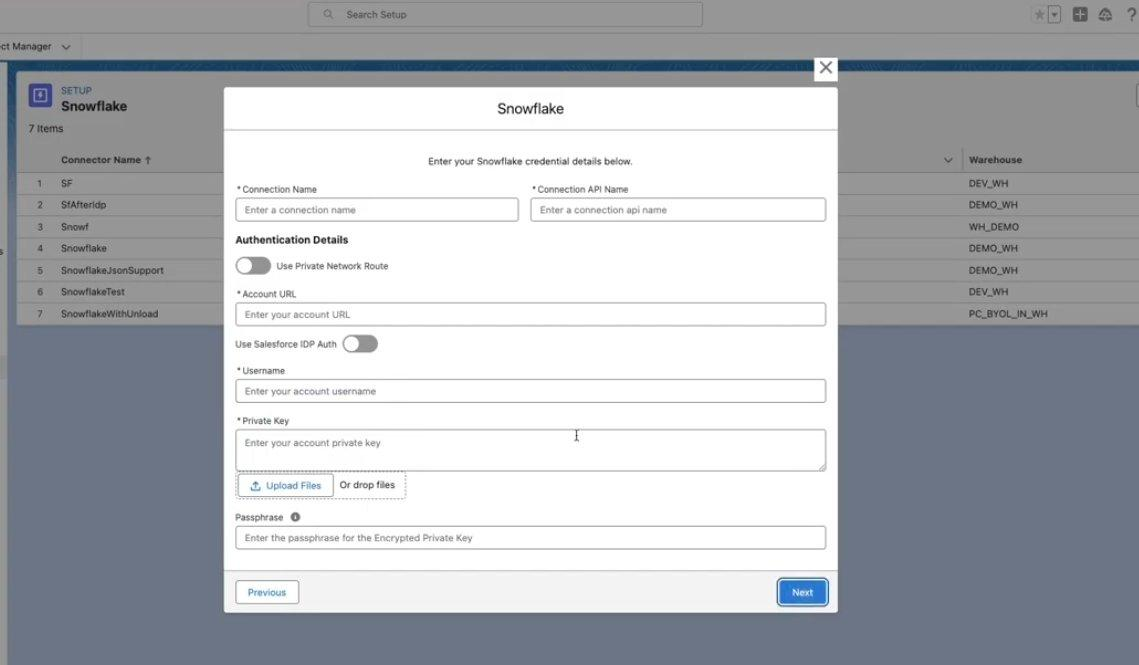
Warehouse and billing integrations.
Salesforce connected to Snowflake and the systems finance runs on, with one owner for each field. Why a sync creates duplicates
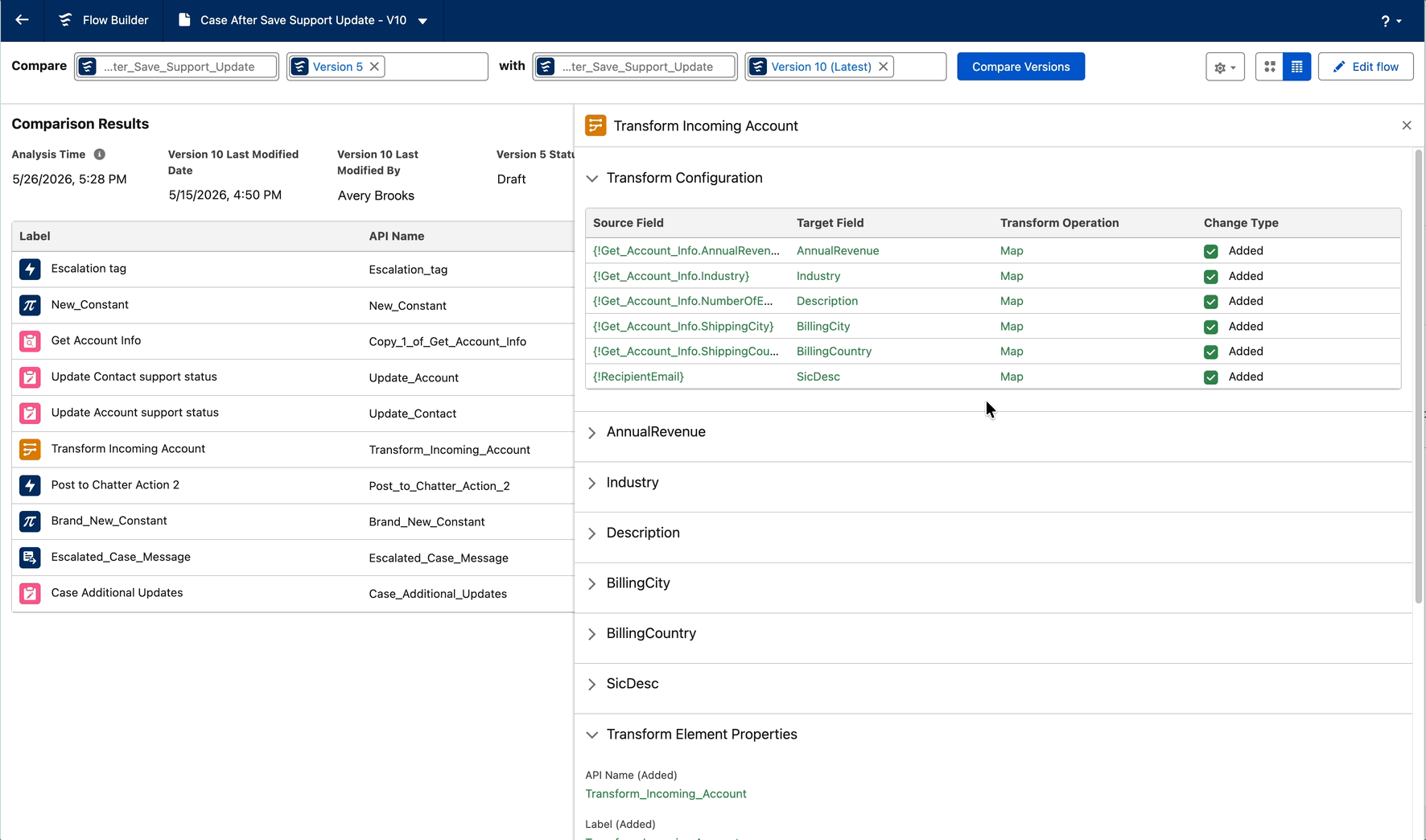
Changes you can review.
Each flow version is compared with the last, so you see which fields and steps changed before anything is released.
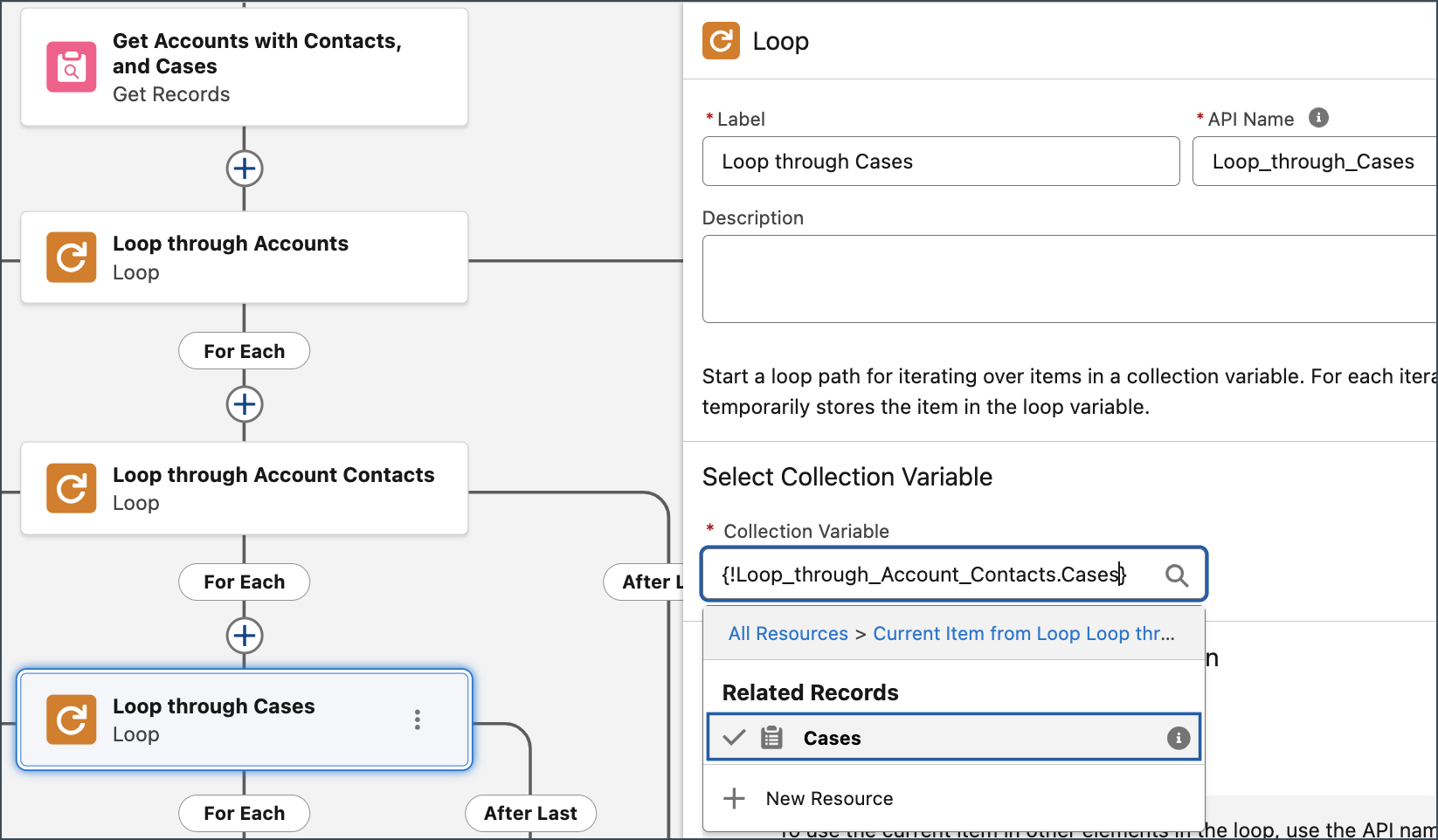
Loops that stay inside the limits.
Flows that walk through accounts, their contacts and their cases without running into Salesforce’s limits.
How does a build run?
In four steps, each with something you can check. Co-founders Sam Feldotto and Chase Demelio do the work themselves. About the founders
- Before work begins
Scope
The requirement is written down and agreed, with what it will and won’t do.
- In a sandbox
Build
Built and tested away from your live data.
- Before release
Review
You see it working on real scenarios, with a list of what changed.
- After release
Handoff
Documented in your own org, with your admin trained to run it.
- Scoped firstEvery engagement is scoped before work begins. No open-ended hourly billing.
- The founders do the workThe people on the first call are the people in your CRM.
- Yours to runDocumented in your own CRM, with your team trained to run it.
- No lock-inNo retainer. We work alongside your agency, finance team or RevOps hire.
Salesforce development questions.
What Salesforce development work do you do?
Do you write code, or only configure Salesforce?
How much does Salesforce development cost?
Can you work with our existing admin or agency?
Do you test before releasing to our live org?
Can you connect Salesforce to our data warehouse?
Find out what your CRM already knows.
Book a free, read-only diagnostic. We connect to your CRM, run 40+ checks across data quality, pipeline hygiene and ICP fit, and deliver a scored report within hours. Then we walk you through every finding live.
Book your free diagnostic