Salesforce to HubSpot migration services.
We move B2B revenue teams into HubSpot from Salesforce, Pipedrive and other CRMs, with the data cleaned before it moves and routing and reporting rebuilt after.
- Measured before it moves
- The founders do the work
- HubSpot developers
- Scoped before work begins
Account→CompanyMapLead + Contact→Contact, with lifecycle stageMergeOpportunity→DealMapOpportunity.StageName→Deal stage, new pipelineRebuildOwnerId→Owner, active users onlyMapSubscription__c→Custom object: SubscriptionsMapLegacy_Score__c→Not carried overDropAssignment rules→Workflows: lead routingRebuild
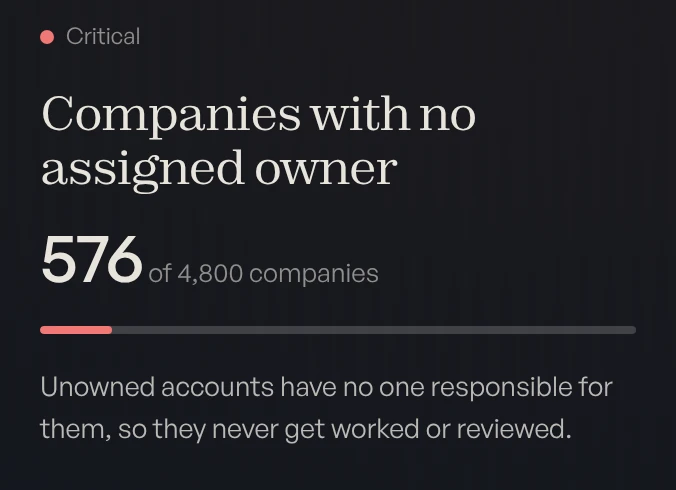
HubSpot is where the data lands. Atlas is the platform we built to measure it, before the move and again after: every duplicate, dead field and unowned record, and one score for the whole CRM. We run the migration, and we bring the technology. See Atlas →
- $155kannual subscription spend saved
- 2.7×MQLs from the same campaigns, year over year
- 21 → 88CRM Diagnostic score, in nine weeks
Arkestro’s Salesforce-to-HubSpot migration. See it week by week
We work in



What does a migration to HubSpot involve?
A CRM data migration into HubSpot runs in five phases. Most of the risk sits in the first two: what you move is what your team inherits on day one.
- Measure
The free CRM Diagnostic runs on the source CRM, read-only, and scores what is there.
- Clean
Duplicates, dead fields and ownership gaps are fixed before anything is mapped.
- Map
Objects, properties, pipelines and custom objects are designed for how you sell now.
- Move
Records and their history move into HubSpot.
- Rebuild
Routing, automation and reporting are rebuilt in HubSpot on one set of numbers.
Most of the risk sits here
What drives the cost of a migration?
Four things. A Salesforce to HubSpot migration is priced by its field count, its duplicates, the automation keyed to Salesforce IDs, and how long both systems ran. The full cost breakdown
Field count
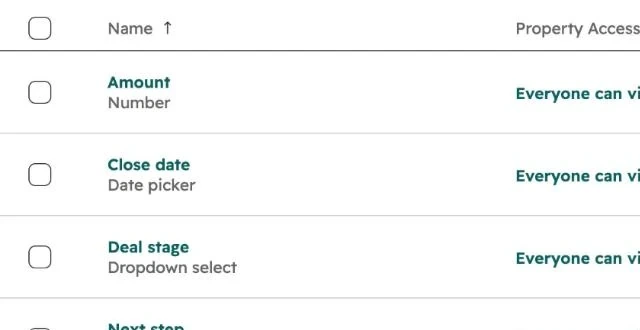
Every field you carry has to be mapped and tested, so the fields you leave behind cost nothing.
Duplicates
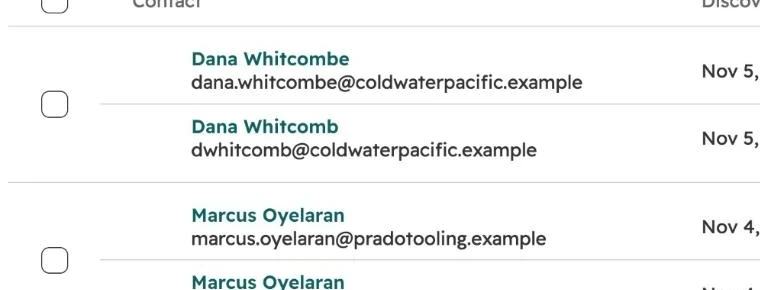
Duplicates that move become HubSpot’s problem on day one. They are cheaper to merge at the source.
Automation keyed to Salesforce IDs
Anything that points at a Salesforce ID has to be rebuilt, not copied.
How long both systems ran
Where two CRMs ran side by side, records disagree, and each disagreement needs a decision.
What does a migration look like, week by week?
Arkestro brought us in for a Salesforce-to-HubSpot migration. We cleaned years of CRM history and rebuilt routing and reporting so sales and marketing worked from one set of numbers.
21out of 100, week 1
- Week 1Connected and scored
- Week 3Migration complete
- Week 5Records restructured
- Week 7Scoring and routing live
- Week 9Re-scored
88out of 100, week 9
- $155kannual subscription spend saved
- 2.7×MQLs from the same campaigns, year over year
“A pivotal strategic partner in our growth.”Stuart Gold, SVP Marketing, Arkestro
How do you know the data is clean enough to move?
You measure it. The free CRM Diagnostic connects read-only to the source CRM and runs more than 40 automated checks across contacts, companies and deals. The same report is run again in HubSpot after the move, so the result is a number, not an opinion.
Book your free diagnosticWhat moves, and what gets rebuilt?
Records move. Logic gets rebuilt in HubSpot. Each route has its own traps, and these papers cover what transfers, what doesn’t and what to clean first.
Moves
- Accounts, as companies
- Leads and contacts, merged into contacts
- Opportunities, as deals with their history
- Owners, for users who are still active
Gets rebuilt
- Assignment rules, as lead routing workflows
- Stage probabilities, from your own win rates
- Reports and dashboards, on the new data model
- Automation keyed to Salesforce IDs
Salesforce to HubSpot: what it costs.
The four drivers that price a migration, and what each one involves.
What HubSpot Smart Transfer misses.
Smart Transfer doesn’t move Salesforce custom objects or five field types.
Moving from Pipedrive to HubSpot.
What transfers, what moves only once, and what to clean in Pipedrive first.
HubSpot to Salesforce: when it’s worth it.
What to map before records move, and when to stay on HubSpot.
Why the HubSpot Salesforce integration creates duplicates.
The integration matches contacts by email, and Salesforce lets two records share one.
Everything else we do in HubSpot.
Cleanup, pipelines, workflows, custom objects, Breeze and custom development.
How does the engagement run?
On dated milestones, ending in a documented handoff. A migration alone is the shorter path: Arkestro’s ran nine weeks. The later phases apply if the work continues into the systems built on the data. Co-founders Sam Feldotto and Chase Demelio do the work themselves. About the founders
- Weeks 1 to 2
Diagnostic
A free, read-only scan of your portal, scored within hours of connecting and walked through live.
- Weeks 2 to 8
Foundation
Your data, rebuilt record by record until your team trusts every number.
- Months 3 to 6
Systems
Pipeline, dashboards, comp and automation, built to fit how you sell.
- Then
Handoff
Documented in your own portal, with your team trained to run it.
- Scoped firstEvery engagement is scoped before work begins. No open-ended hourly billing.
- The founders do the workThe people on the first call are the people in your portal.
- Yours to runDocumented in your own portal, with your team trained to run it.
- No lock-inNo retainer. We work alongside your agency, finance team or RevOps hire.
HubSpot migration questions.
How much does a Salesforce to HubSpot migration cost?
How long does a migration to HubSpot take?
Do you clean the data before or after it moves?
Does our automation and reporting carry over?
Do you migrate from Pipedrive, or out of HubSpot?
Find out what your CRM already knows.
Book a free, read-only diagnostic. We connect to your CRM, run 40+ checks across data quality, pipeline hygiene and ICP fit, and deliver a scored report within hours. Then we walk you through every finding live.
Book your free diagnostic